Proxy Ayarlarınız Değişmiyorsa 
1. Grup İlkesi Proxy Ayarlarını Sıfırla (REG Komutları)
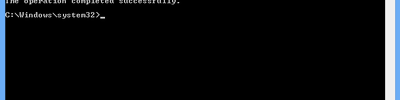
Bu komutlar, Policies altındaki kilitleri siler → proxy ayarlarının kaydedilmesini sağlar.
REG DELETE "HKCUSoftwarePoliciesMicrosoftWindowsCurrentVersionInternet Settings" /f
REG DELETE "HKLMSoftwarePoliciesMicrosoftWindowsCurrentVersionInternet Settings" /f
REG ADD "HKLMSoftwareMicrosoftWindowsCurrentVersionInternet Settings" /v ProxySettingsPerUser /t REG_DWORD /d 1 /f
REG DELETE "HKLMSoftwarePoliciesMicrosoftWindowsCurrentVersionInternet Settings" /f
REG ADD "HKLMSoftwareMicrosoftWindowsCurrentVersionInternet Settings" /v ProxySettingsPerUser /t REG_DWORD /d 1 /f
2. WinHTTP Proxy’yi Sıfırla
netsh winhttp reset proxy
Ve ardından:
netsh winhttp import proxy source=ie
3. Internet Settings anahtarını temizle (isteğe bağlı ama çok etkili)
REG DELETE "HKCUSoftwareMicrosoftWindowsCurrentVersionInternet SettingsAutoConfigURL" /f
REG DELETE "HKCUSoftwareMicrosoftWindowsCurrentVersionInternet SettingsProxyServer" /f
REG DELETE "HKCUSoftwareMicrosoftWindowsCurrentVersionInternet SettingsProxyEnable" /f
REG DELETE "HKCUSoftwareMicrosoftWindowsCurrentVersionInternet SettingsProxyOverride" /f
REG DELETE "HKCUSoftwareMicrosoftWindowsCurrentVersionInternet SettingsProxyServer" /f
REG DELETE "HKCUSoftwareMicrosoftWindowsCurrentVersionInternet SettingsProxyEnable" /f
REG DELETE "HKCUSoftwareMicrosoftWindowsCurrentVersionInternet SettingsProxyOverride" /f
Kaynaklar