Form Uygulamaları 
using System;
using System.Collections.Generic;
using System.ComponentModel;
using System.Data;
using System.Drawing;
using System.Linq;
using System.Text;
using System.Threading.Tasks;
using System.Windows.Forms;

namespace WindowsFormsApp1
{
    public partial class Form1 : Form
    {
        public Form1()
        {
            InitializeComponent();
            webBrowser1.ScriptErrorsSuppressed = true;
        }
        private void button1_Click(object sender, EventArgs e)
        {
            webBrowser1.Navigate(textBox1.Text);
        }
        private void button2_Click(object sender, EventArgs e)
        {
            webBrowser1.GoHome();
        }
        private void webBrowser1_Navigated(object sender, WebBrowserNavigatedEventArgs e)
        {
            listBox1.Items.Add(webBrowser1.Url.ToString());
            textBox1.Text = webBrowser1.Url.ToString();
        }
        private void Form1_Load(object sender, EventArgs e)
        {
            webBrowser1.ScriptErrorsSuppressed = true;
        }
        private void button3_Click(object sender, EventArgs e)
        {
            if (webBrowser1.CanGoBack)
            {
                webBrowser1.GoBack();
            }
        }
        private void button4_Click(object sender, EventArgs e)
        {
            if (webBrowser1.CanGoForward)
            {
                webBrowser1.GoForward();
            }
        }
        private void button5_Click(object sender, EventArgs e)
        {
            webBrowser1.Refresh();
        }

        private void button1_KeyDown(object sender, KeyEventArgs e)
        {
            if (e.KeyCode == Keys.Enter)
            {
                button1.PerformClick();
            }
        }

        private void button6_Click(object sender, EventArgs e)
        {
            DialogResult soru = MessageBox.Show("tarama geçmişini sileceğinize emin misiniz?", "Geçmişi Temizle", MessageBoxButtons.YesNo, MessageBoxIcon.Warning);
            if (soru == DialogResult.Yes)
            {
                listBox1.Items.Clear(); // Listeyi boşaltır
                MessageBox.Show("Geçmiş başarıyla temizlendi.", "Bilgi", MessageBoxButtons.OK, MessageBoxIcon.Information);
            }
        }
    }
}
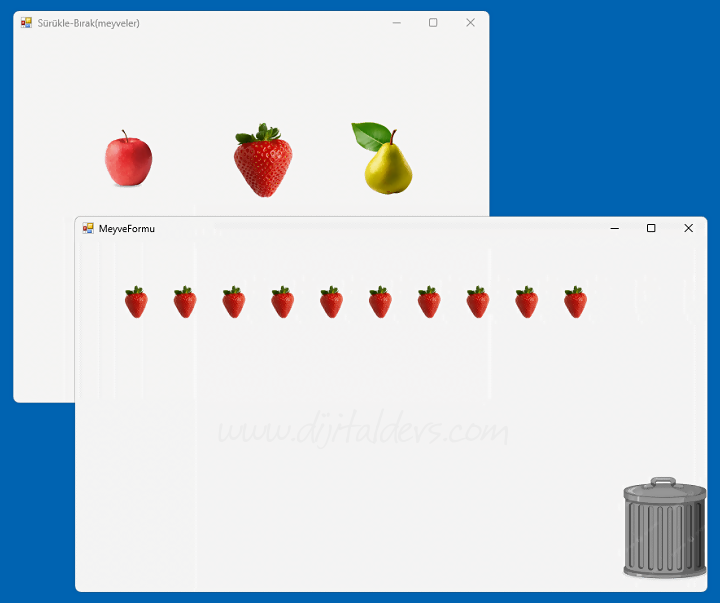
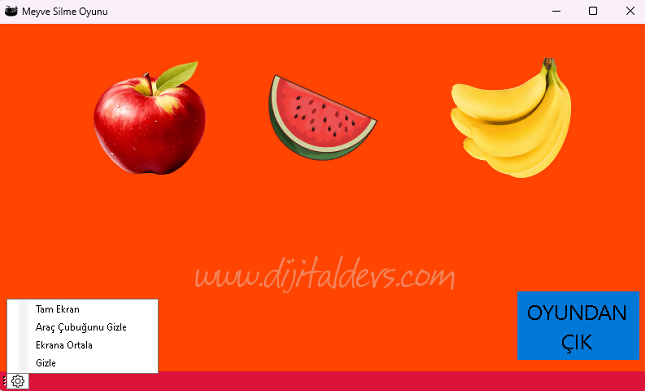
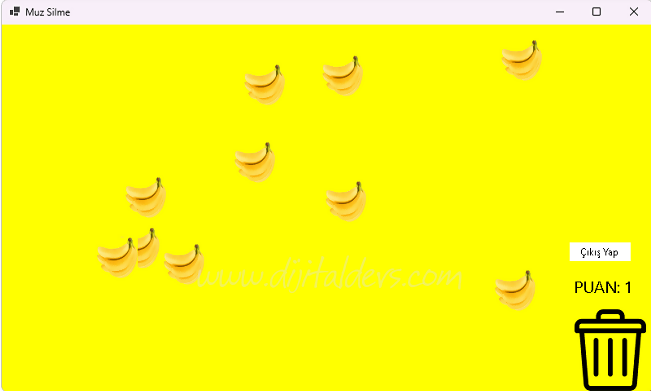
FormElma.cs, FormMuz.cs, FormKarpuz.cs
using System;
using System.Collections.Generic;
using System.ComponentModel;
using System.Data;
using System.Drawing;
using System.Text;
using System.Windows.Forms;

namespace Osmankaraosman
{
    public partial class FormElma : Form
    {
        int Puan = 0;
        Random rnd = new Random();
        public FormElma()
        {
            InitializeComponent();
        }

        private void FormElma_Load(object sender, EventArgs e)
        {
            int sayi = rnd.Next(10, 20);
            label1.Text = "PUAN:";
            Puan = 0;

            for (int i = 0; i < sayi; i++)
            {
                PictureBox PB = new PictureBox();

                PB.Size = new Size(50, 50);
                PB.BackgroundImage = Properties.Resources.Elma;
                PB.Cursor = Cursors.Hand;
                PB.BackgroundImageLayout = ImageLayout.Stretch;
                ControlExtension.Draggable(PB, true);

                int x = rnd.Next(0, this.Width - 150);
                int y = rnd.Next(0, this.Height - 150);

                PB.Location = new Point(x, y);

                PB.MouseUp += (s, ev) =>
                {
                    if (PB.Bounds.IntersectsWith(pictureBoxCop.Bounds))
                    {
                        this.Controls.Remove(PB);
                        Puan++;

                        label1.Text = $"PUAN: {Puan}";
                    }
                };

                this.Controls.Add(PB);
            }
        }

        private void button1_Click(object sender, EventArgs e)
        {
            this.Close();
        }
    }
}
Osman Karaosman