position:fixed Uygulama Örnekleri 
Örnek 1

<!DOCTYPE html>
<html>
<head>
<meta charset='utf-8'>
<meta http-equiv='X-UA-Compatible' content='IE=edge'>
<title>Page Title</title>
<meta name='viewport' content='width=device-width, initial-scale=1'>
<style>
body{
margin: 0;
}
#kutu{
height: 10000px;
width: 100vw;
background: rgb(0,212,255);
background: linear-gradient(180deg, rgba(0,212,255,1) 0%, rgba(1,70,108,1) 37%, rgba(2,0,36,1) 100%);
}
#yukari{
height: 100px;
width: 100px;
border-radius: 100%;
position: fixed;
bottom: 150px;
right: 50px;
background-color: red;
display: flex;
align-items: center;
justify-content: center;
color: white;
font-size: 51px;
text-decoration: none;
}
</style>
</head>
<body>
<div id="kutu"></div>
<a id="yukari" href="#">^</a>
</body>
</html>
<html>
<head>
<meta charset='utf-8'>
<meta http-equiv='X-UA-Compatible' content='IE=edge'>
<title>Page Title</title>
<meta name='viewport' content='width=device-width, initial-scale=1'>
<style>
body{
margin: 0;
}
#kutu{
height: 10000px;
width: 100vw;
background: rgb(0,212,255);
background: linear-gradient(180deg, rgba(0,212,255,1) 0%, rgba(1,70,108,1) 37%, rgba(2,0,36,1) 100%);
}
#yukari{
height: 100px;
width: 100px;
border-radius: 100%;
position: fixed;
bottom: 150px;
right: 50px;
background-color: red;
display: flex;
align-items: center;
justify-content: center;
color: white;
font-size: 51px;
text-decoration: none;
}
</style>
</head>
<body>
<div id="kutu"></div>
<a id="yukari" href="#">^</a>
</body>
</html>
Örnek

    <style>
        body {
            height:2000px;
        }
        #SosyalMedya {
            position: fixed;
            top: calc(50%);
            right:-40px;
            /*border:1px solid #a0a0a0;*/
        }
        #SosyalMedya>div {
            height: 28px;
            border-radius: 10px;
            width: 100px;
            background-color: #f44336;
            margin-bottom: 10px;
            position:relative;
            right:-30px;
        }

        #SosyalMedya>div:hover {
            right: 0;
        }
    </style>
</head>
<body>

<div id="SosyalMedya">
    <div>    </div>
    <div>    </div>
    <div>    </div>
</div>

Örnek

<head>
    <meta name="viewport" content="width=device-width, initial-scale=1">
    <link href="https://fonts.googleapis.com/icon?family=Material+Icons" rel="stylesheet">
</head>
<style>
    body {
        height: 2000px;
    }

    #SosyalMedya {
        position: fixed;
        top: calc(50%);
        right: -40px;
    }

    #SosyalMedya>div {
        height: 28px;
        width: 100px;
        background-color: #1fbd00bb;
        margin-bottom: 10px;
        position: relative;
        right: -40px;
        opacity: 50%;
        transition: 0.5s;
        border-radius: 5px;
    }

    #SosyalMedya>div:hover {
        right: 0px;
        opacity: 100%;
        transition: 0.5s;
    }

    #SosyalMedya>div:hover>i {
        color: white;
        opacity: 100%;
    }

    i {
        color: #1fbd00bb;
        opacity: 50%;
    }
</style>

<body>
    <div id="SosyalMedya">
        <div><i class="material-icons">notifications</i></div>
        <div><i class="material-icons">phone</i></div>
        <div><i class="material-icons">person</i></div>
    </div>
</body>
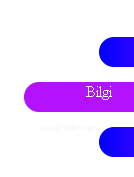
<style>
    body{
       height: 2000px;
       position: relative;
    }
    .ana{
        width: 100px;
        position: fixed;
        display: flex ;
        flex-direction: column;
        gap: 15px;
        right: 0;
        top: 90px;
    }
    .cek{
        width: 150px;
        height:30px;
        border-radius: 15px;
        background: linear-gradient(90deg ,rgb(0, 0, 255),rgb(180, 17, 255) 50%  ) ;
        background-size: 200% 100%;
        background-position: left;
        text-align: center;
        right: -65px;
        position: relative;
        transition: all 0.5s ease-in-out;
    }
    .cek:hover{
        transition: all 0.5s ease-in-out;
        background-position: right;
        right: 10px;
        cursor: pointer;
    }
    a{
        text-decoration: none;
        color: white;
    }

</style>
<body>
    <div class="ana">
        <div class="cek"><a href="#">Anasayfa</a></div>
        <div class="cek"><a href="#">Bilgi</a></div>
        <div class="cek"><a href="#">İletişim</a></div>
    </div>

</body>